
Everything you need to get the most from Dalilou.
Find guides, tutorials and answers to help you install, configure and get the most from Dalilou.

Browse help topics.
Quick access to the most useful Dalilou guides and resources.

Getting Started
Create your account and get Dalilou running quickly.

WordPress & WooCommerce
Connect Dalilou to your website or WooCommerce store.

Shopify
Set up Dalilou on your Shopify store.

AI Sales Agent
Learn how Dalilou engages and qualifies visitors.

E-commerce Agent
Help shoppers find the right products and buy with confidence.

Integrated Booking
Configure booking and connected calendar availability.

Dashboard & Usage
Track activity, leads and monthly usage.

Troubleshooting
Solve common setup and connection issues.
Quick start guide.
Get from setup to results in just a few simple steps.

Create your account
Sign up for Dalilou and prepare your account for your first website or store.

Connect your platform
Connect WordPress, WooCommerce, Shopify or your booking calendar.
Launch Dalilou
Customize your experience, activate the widget and start engaging visitors.
Platform setup.
Choose your platform and follow the step-by-step setup guide.
WordPress / WooCommerce
Install the Dalilou plugin, connect your account and activate the assistant on your WordPress or WooCommerce site.
View the guideShopify
Connect Dalilou to your Shopify store and activate the AI e-commerce assistant.
View the guideGoogle Calendar
Connect your calendar to synchronize real-time availability for integrated booking.
View the guideUse Dalilou.
Explore the main features and learn how to get the most from them.
AI Sales Agent
Learn how Dalilou engages visitors, answers questions, qualifies opportunities and captures valuable leads.
Read the guideE-commerce assistance
Help shoppers discover relevant products, answer product questions and support purchase decisions.
Read the guide
Lead capture & qualification
Understand how Dalilou captures contact details, qualifies visitors and surfaces relevant opportunities.
Read the guide
Integrated Booking
Learn how qualified visitors can book available appointments directly from the Dalilou conversation.
Read the guideManage your account.
Everything you need to manage your Dalilou account.
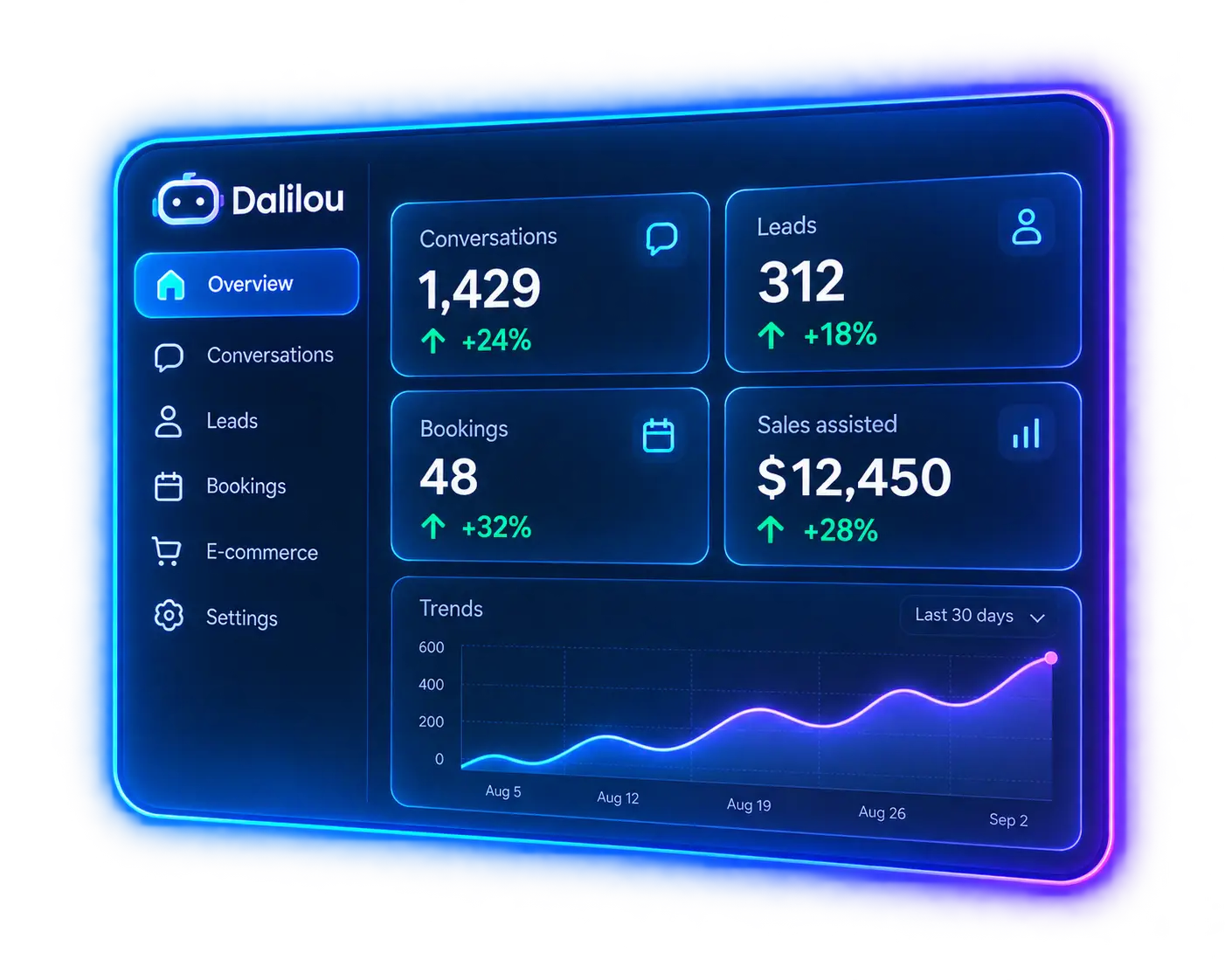
Dashboard & analytics
Track conversations, leads, bookings and e-commerce activity from your dashboard.

Monthly lead usage
Monitor your monthly prospect allowance and current usage.

Plans & billing
Review your plan and manage your Dalilou subscription.
Website/store management
Review connected websites or stores and manage their configuration.
Common issues.
Quick solutions to the most common setup problems.
Widget not showing on my site?
Confirm that the Dalilou integration is active, the correct website or store is connected and the widget is enabled. Also check that your account has available usage for the current period.
Connection problem with WordPress or Shopify?
Verify that the correct website or store is connected to your Dalilou account. For detailed setup steps, use the WordPress or Shopify integration guide.
Booking not working?
Integrated booking requires an eligible plan and a configured calendar connection. Confirm that availability is enabled and the calendar connection is active.
E-commerce data or product issue?
Confirm that your supported store integration is connected and that Dalilou can access the required product data. Recheck the platform connection if product information is unavailable.
Frequently asked questions.
Find answers to common questions about Dalilou.
Can I use Dalilou on multiple websites?
Starter and Pro include one website or store. Business supports up to five websites or stores.
Does the Starter plan include booking?
Starter does not include integrated booking. It uses the contact or callback fallback when a visitor wants to arrange an appointment. Integrated booking is available on Pro and Business.
What are the monthly lead limits?
Starter includes 100 prospects per month, Pro includes 250 and Business includes 1,000.
Is there a free trial?
Yes. Dalilou offers a 7-day trial with up to 20 prospects and no credit card required.
Do you support WooCommerce and Shopify?
Yes. Dalilou supports WordPress and WooCommerce, as well as Shopify for e-commerce use cases.
Where can I get more help?
You can contact the Dalilou team through the contact page or open your dashboard to review your configuration.

Still need help?
Our team is here to support you. Contact us or open your dashboard to review your Dalilou setup.